LANGUAGE LEARNING THROUGH READING
Learn a language.
One page at a time.
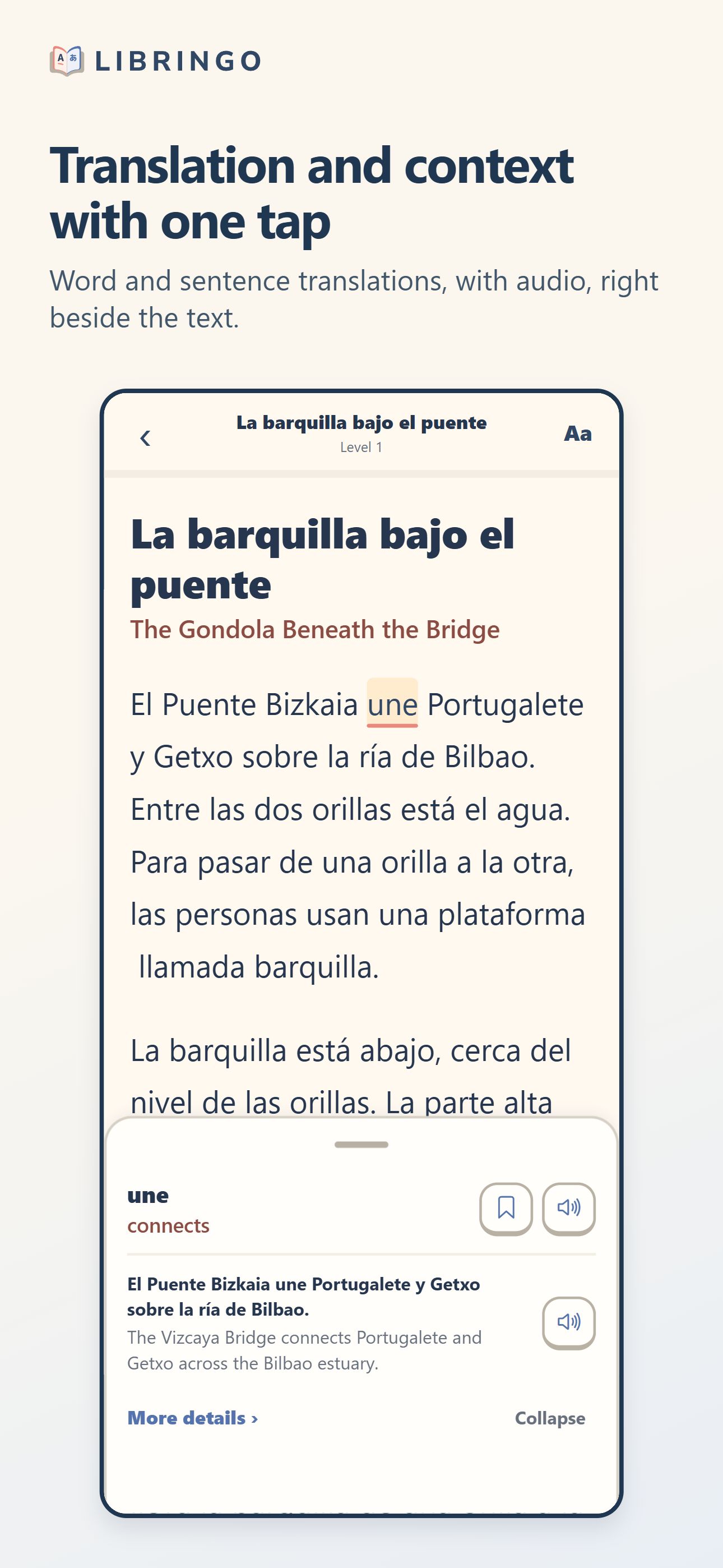
Choose a book from the catalogue or bring your own. Tap a word to see its translation, hear its pronunciation and save it with its context.
Read
Choose a text that suits your level and interests.
Tap
See a translation and hear the words, right on the page.
Remember
Save useful words with their sentences. Revisit them later.
01 / Catalog books
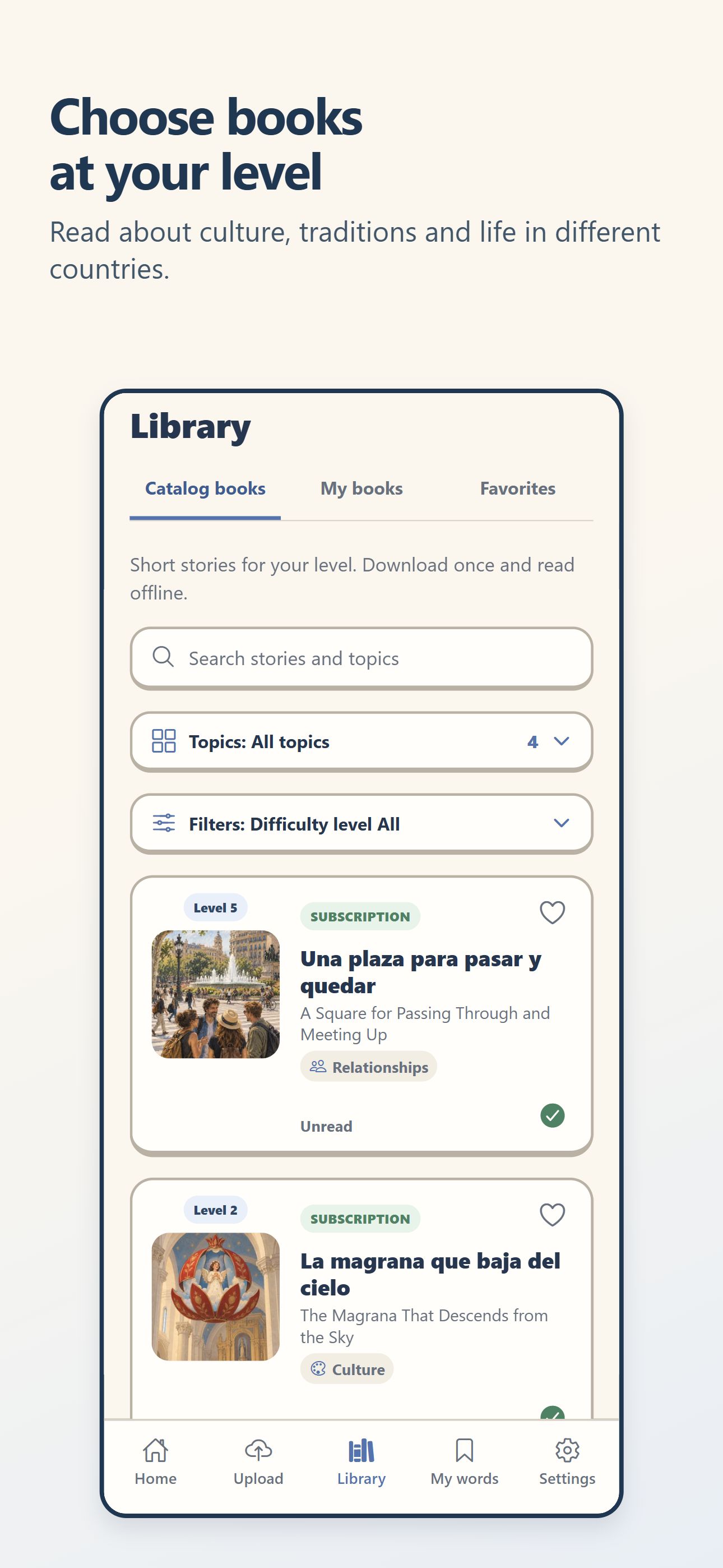
Choose books at your level
Read about culture, traditions and life in different countries.
Available books and levels vary by language pair.
02 / My books
Read your own books
- EPUB
- FB2
- TXT
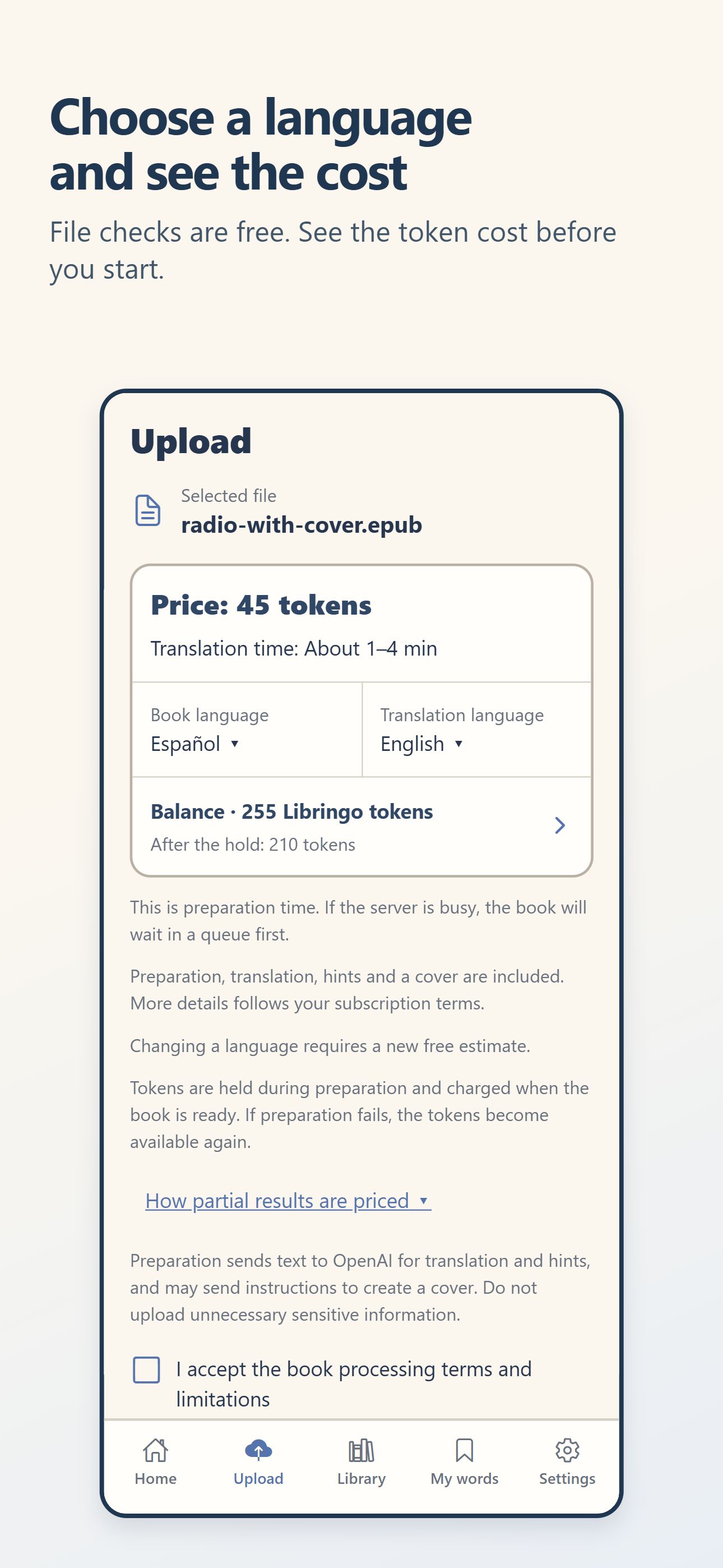
Upload an EPUB, FB2, TXT, or PDF file that you have the right to use. The initial file check is free.
Choose the languages and review the token price and estimated preparation time before confirming.
Prepared books appear in your personal library with translations and reading hints.
File support depends on the document's structure and text quality; not every PDF can be prepared. Files protected by DRM or a password are not supported.
03 / UNDERSTAND
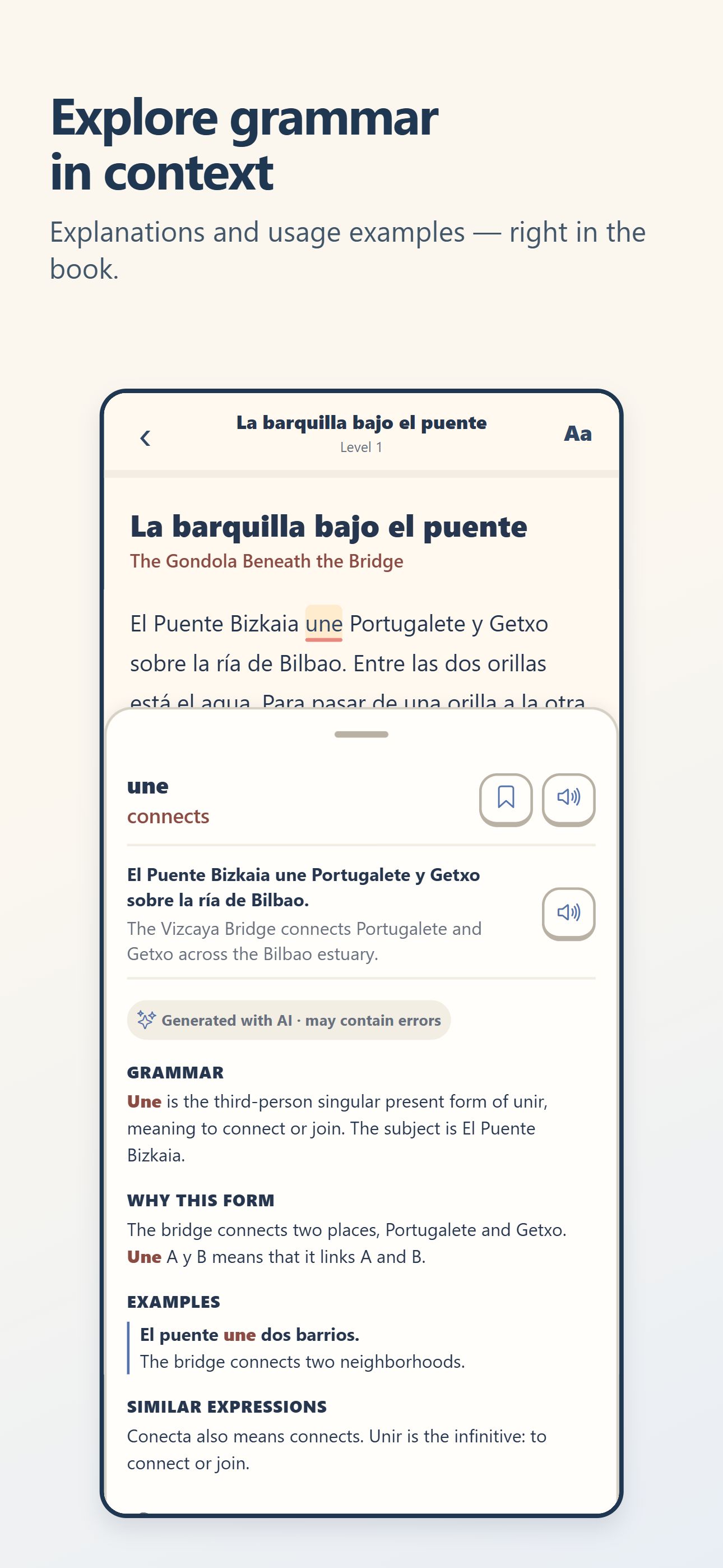
Explore grammar in context
Tap a word or phrase to see its translation, hear it aloud, and view the full sentence with its translation. Open the detailed note when you want more on meaning, grammar, or usage, then close the panel and carry on reading.
Illustrative interface with an example explanation. Explanations may contain errors.
04 / REMEMBER
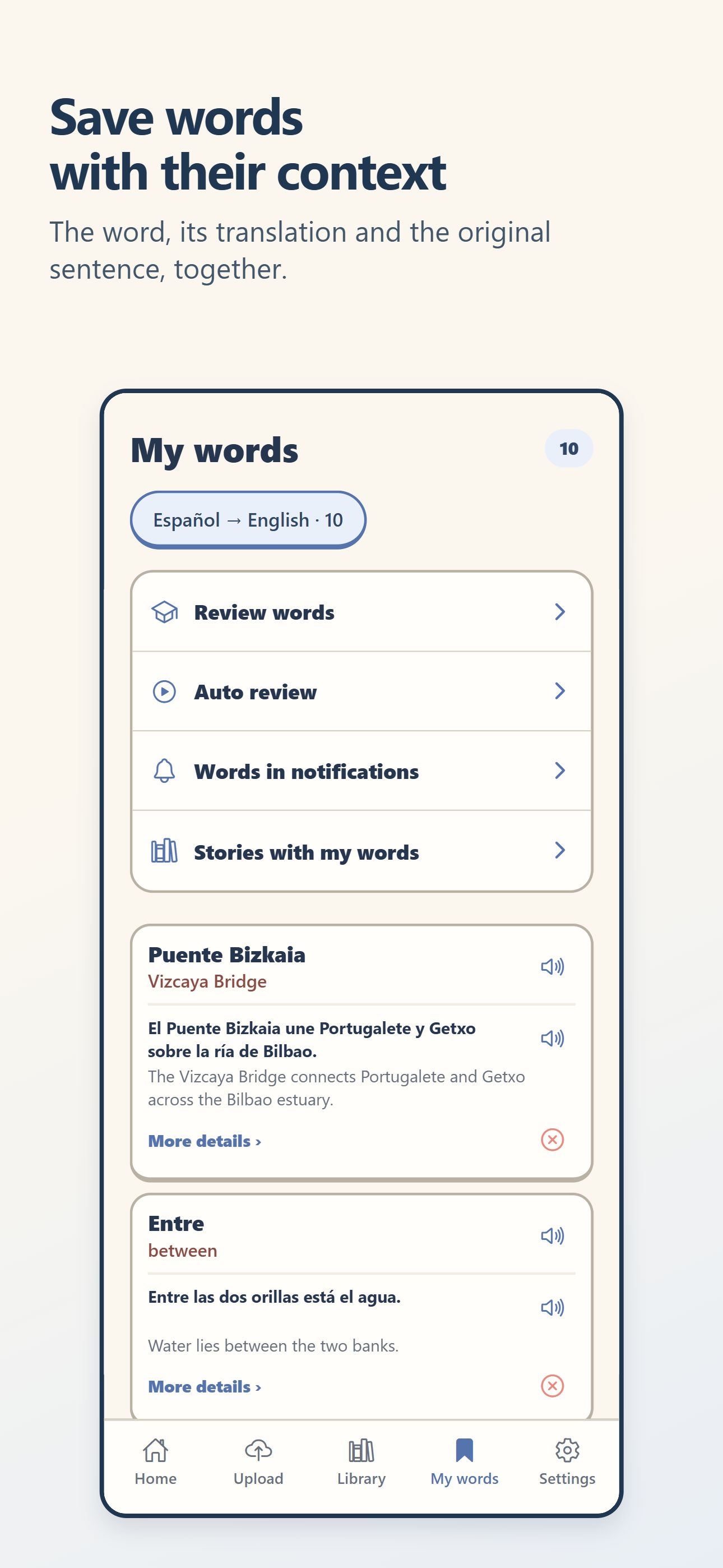
Save words with their context
Keep useful words and phrases with the sentence where you found them. In My Words, you can listen again, review them with flashcards, and mark what you remember. You can also find other readings that use your saved words.
05 / 12 languages
Two languages. Your choice.
Choose one language for reading and another for the app, translations and explanations. All 12 are available for either role.
Available books and levels vary by language pair.
- ENEnglish
- ESEspañol
- FRFrançais
- DEDeutsch
- ITItaliano
- PT-BRPortuguês (Brasil)
- JA日本語
- KO한국어
- RUРусский
- PLPolski
- NLNederlands
- SVSvenska
Make room for a little reading.
Browse by topic and level, adjust the text size, follow your daily reading goal, and download readings for offline use.
Read freely — help stays out of the way
Collapse the panel — translation stays within reach.
Downloaded texts can be read offline. Downloads and new detailed explanations need an internet connection; offline audio depends on the voices available on your device.
Free readings & subscription
Some readings are free. Monthly and yearly Libringo Subscription plans unlock paid readings available for your language pair and detailed explanations. Subscriptions renew automatically unless cancelled; manage them in your store account. The price and billing period are shown before purchase.
Your books & tokens
Preparing your own books uses Libringo tokens, purchased separately from the subscription. Buying tokens does not start book preparation: you confirm each order separately. The subscription does not include tokens. You do not need a subscription to read your prepared personal books; detailed explanations follow the app's separate access conditions. Uploads and book preparation require internet access.
About the content
AI is used to prepare reading materials, translations and explanations. They are not individually reviewed by a professional linguist and may contain language or factual errors. You can report an error in a detailed explanation directly from the explanation screen.
How Libringo uses AI